
Picking out the right computer gaming accessories can feel a little tricky when you’re just starting out. There are so many cool gadgets that promise to make your games even better! Don’t worry, though.
This guide will make it super simple to figure out what you really need. We’ll walk through everything step by step so you can get your setup just right without feeling overwhelmed. Get ready to find the perfect gear.
Key Takeaways
- You will learn what essential computer gaming accessories are important for a great setup.
- We will cover different types of accessories like keyboards mice and headsets.
- This post will help you understand how specific accessories can improve your gaming experience.
- You will get practical advice on choosing the best accessories for your budget and play style.
- We will debunk common myths about gaming gear to help you make smart choices.
Choosing Your Computer Gaming Accessories
Getting the right computer gaming accessories can really change how you play games. Think about your mouse. A fast, responsive mouse with extra buttons can help you react quicker in fast-paced games.
A good gaming keyboard offers better key presses and maybe some cool lighting. Headphones make game sounds clear and let you talk to friends easily. These items are the building blocks of a fun gaming experience.
The Importance of Input Devices
Input devices are how you tell your computer what to do. For gaming, this means your keyboard and mouse. They need to be fast and accurate.
A standard office mouse won’t cut it for most games. You need something designed for gaming.
A gaming mouse usually has a higher Dots Per Inch DPI rating. DPI tells you how sensitive the mouse is. Higher DPI means the cursor moves further on screen with less physical movement of the mouse.
Many gaming mice also have extra buttons you can program for specific actions in games. This can save you time and make complex moves easier.
Consider a mouse that fits your hand well. Different grips like palm grip claw grip and fingertip grip work best with different mouse shapes. Finding a comfortable mouse is key for long gaming sessions.
Gaming keyboards are built for speed and durability. Mechanical keyboards are very popular. They use individual switches under each key.
These switches offer a distinct feel and sound. Some switches are clicky and loud others are quieter and smoother. They generally last longer than standard membrane keyboards.
Many gaming keyboards have anti-ghosting. This means you can press multiple keys at once and the computer will register all of them. This is vital for games that require complex key combinations.
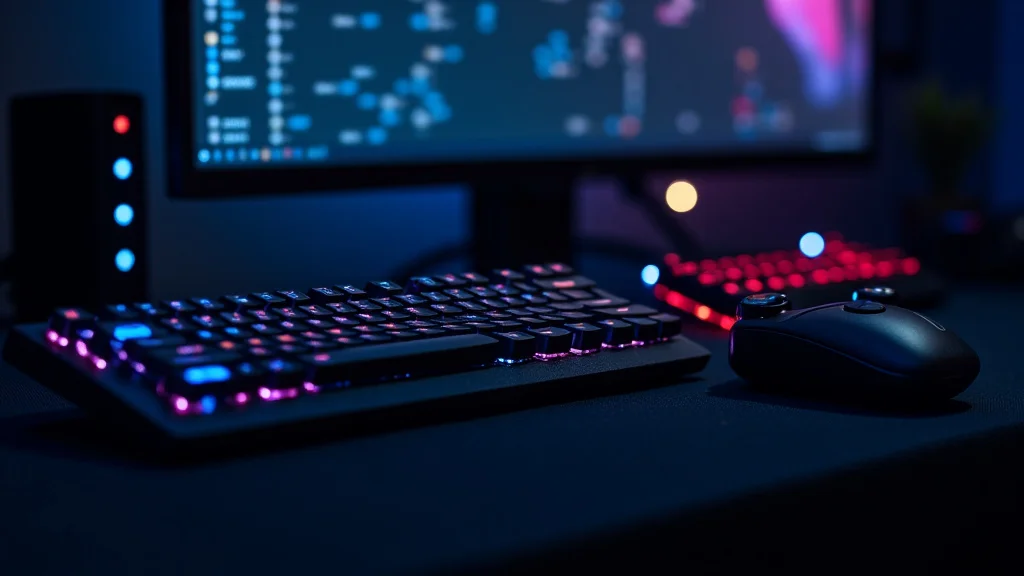
Backlighting is another common feature. It makes keys easy to see in the dark and adds a cool visual effect.
Real-Life Example: Competitive FPS Player
Sarah plays competitive first-person shooter games. She upgraded her old office mouse to a high-DPI gaming mouse with programmable buttons. She assigned her grenade throw and melee attack to side buttons.
This allowed her to keep her fingers on the movement and aiming keys. She noticed a significant improvement in her reaction time and in-game performance. The gaming keyboard she chose has quiet tactile switches which let her type messages without interrupting her game audio.
Audio and Communication Gear
Sound is a huge part of gaming. A good headset lets you hear footsteps enemies and important in-game cues. It also lets you talk to your teammates clearly.
A dedicated gaming headset is a worthwhile investment.
Gaming headsets usually have comfortable earcups that cover your ears completely. This helps block out external noise so you can focus on the game. The microphone quality is also important.
You want a mic that picks up your voice clearly without too much background noise.
Some headsets offer surround sound. This can be virtual surround sound or true surround sound with multiple drivers in each earcup. Surround sound helps you pinpoint the direction of sounds in the game.
This gives you a tactical advantage.
Wired vs. Wireless Headsets:
- Wired Headsets: Generally offer the best audio quality and no latency. They are often more affordable. The main downside is the cable can get tangled.
- Wireless Headsets: Offer freedom of movement. Battery life is important. Some wireless headsets might have a slight delay but technology is improving rapidly.
Statistic: A survey found that 78% of gamers consider audio quality very important for an immersive experience.
Beyond headsets some gamers use separate microphones and speakers. A high-quality microphone can offer superior voice clarity for streaming or content creation. Good speakers can fill your room with sound making the game feel more epic.
However for most gamers a quality headset provides the best balance of performance and convenience.
Visual Enhancements and Comfort
While not strictly input devices visual enhancements like monitors and comfortable seating are crucial for a good gaming setup. A high refresh rate monitor makes fast-paced games look smoother. This means the screen updates more times per second.
A 60Hz monitor updates 60 times per second while a 144Hz monitor updates 144 times per second. This makes motion appear much smoother reducing blur.
Color accuracy and resolution also matter. Higher resolution like 1440p or 4K provides sharper images. Better color accuracy makes game worlds look more vibrant and realistic.
Response time is also key. It’s how quickly pixels on the screen can change color. Lower response times reduce motion blur.
Comfort is often overlooked but it’s vital for long gaming sessions. A good gaming chair supports your back and posture. It can prevent discomfort and long-term pain.
Features like adjustable armrests lumbar support and a headrest make a big difference.
Desk setup also plays a role. A desk with enough space for your peripherals and a comfortable height can improve your ergonomics. Cable management solutions help keep your desk tidy and prevent distractions.
Sample Scenario: Ergonomic Gaming Setup
- Choose a monitor with a high refresh rate (144Hz or higher) and a fast response time (1ms).
- Invest in a comfortable gaming chair with good lumbar support and adjustable armrests.
- Ensure your desk is at a height where your elbows are at a 90-degree angle when typing.
- Use a large mousepad that provides ample space for sweeping mouse movements.
- Consider a monitor arm to free up desk space and allow for optimal monitor positioning.
Understanding Gaming Mice and Keyboards
Let’s dig a little deeper into gaming mice and keyboards. These are the tools you use to interact with the game world. Their design and features directly impact your ability to play well and comfortably.
Advanced Mouse Features Explained
When you look at gaming mice you’ll see terms like DPI sensor type and polling rate. Understanding these can help you choose the right one.
DPI Dots Per Inch: As mentioned before this measures sensitivity. A higher DPI means the cursor moves farther with less physical mouse movement. For gaming you might want a mouse that allows you to adjust DPI on the fly.
This lets you switch between high DPI for quick turns and low DPI for precise aiming.
Sensor Type: Gaming mice use optical or laser sensors. Optical sensors are generally preferred for their accuracy and responsiveness on most mousepads. Laser sensors can work on more surfaces but might sometimes have issues with acceleration or slight inaccuracies.
Modern optical sensors are extremely precise.
Polling Rate: This is how often the mouse reports its position to the computer. It’s measured in Hertz Hz. A common polling rate is 125Hz meaning it reports 125 times per second.
Gaming mice often have higher polling rates like 500Hz or 1000Hz. A higher polling rate means smoother and more responsive cursor movement.
Programmable Buttons: Most gaming mice have at least a couple of extra buttons beyond the left and right clicks. These can be programmed using software to perform in-game actions macros or shortcuts. This is a huge advantage in games where quick access to abilities is important.
Ergonomics and Grip Styles: The physical design of the mouse matters for comfort. There are three main grip styles:
- Palm Grip: Your entire palm rests on the mouse. This is common with larger mice and provides a relaxed feel.
- Claw Grip: Your palm rests on the back of the mouse and your fingers are arched like a claw. This allows for quick button presses and precise movements.
- Fingertip Grip: Only your fingertips touch the mouse. Your palm does not rest on it. This offers maximum agility and control for very precise aiming.
Choosing a mouse that matches your grip style and hand size will prevent fatigue and improve control.
Mechanical Keyboard Switches
Mechanical keyboards are a big deal in the gaming world. They use individual mechanical switches under each keycap. These switches are what give mechanical keyboards their feel sound and performance.
There are three main types of mechanical switches categorized by their feel and sound:
- Linear Switches: These switches press down smoothly without a tactile bump or audible click. They are often preferred by gamers who need fast consistent presses and minimal feedback. Examples include Cherry MX Red and Gateron Red.
- Tactile Switches: These switches have a noticeable bump you can feel when the key actuates. They don’t usually have an audible click. This tactile feedback lets you know when the keypress has registered without needing to bottom out the key. Examples include Cherry MX Brown and Gateron Brown.
- Clicky Switches: These switches provide both a tactile bump and an audible click sound when the key actuates. They offer very clear feedback but can be noisy. Examples include Cherry MX Blue and Gateron Blue.
Real-Life Example: Streamer’s Keyboard Choice
Alex is a popular streamer who plays a variety of games. He chose a keyboard with tactile switches. He likes the subtle bump that tells him a key has been pressed without being too loud and distracting for his viewers.
He also values the durability of mechanical switches which can last for tens of millions of keystrokes. He uses the programmable macro keys on his keyboard to quickly switch scenes in his streaming software.
The number of keys and layout also matter. Tenkeyless TKL keyboards remove the number pad to save desk space. Some keyboards are even smaller offering fewer keys for maximum portability or minimalist setups.
Features like N-key rollover and anti-ghosting ensure that every keypress is registered even when multiple keys are pressed simultaneously.
Statistic: Over 65% of PC gamers prefer mechanical keyboards for their durability and responsiveness.
Enhancing Your Gaming Experience with Peripherals
Beyond the core input devices other computer gaming accessories can significantly boost your enjoyment and performance. These often focus on immersion and convenience.
Headsets Microphones and Speakers
The way you hear and communicate in games can make or break your experience. A good audio setup is not just about hearing footsteps it’s about feeling present in the game world.
Gaming Headsets: These are the all-in-one solution for most gamers. They combine headphones and a microphone. High-quality gaming headsets offer drivers that deliver clear audio across a wide range of frequencies.
Bass is important for explosions and impactful sounds while clear mids and highs are crucial for dialogue and subtle cues.
Some headsets feature virtual surround sound technology. This simulates a 7.1 or even 5.1 surround sound experience using just two speakers. It helps you judge distances and directions of in-game sounds.
While not as precise as true surround sound it’s a significant upgrade over stereo for many gamers.
Microphones: For those who want premium voice quality or who use their computer for more than just gaming dedicated microphones are excellent. USB microphones are easy to set up and plug directly into your computer. XLR microphones require an audio interface but offer higher fidelity and more control.
When choosing a microphone consider its polar pattern. Cardioid microphones pick up sound primarily from the front which is ideal for solo use reducing background noise. Omnidirectional microphones pick up sound from all directions useful for group discussions.
Speakers: For a more room-filling sound experience dedicated speakers are an option. 2.0 speaker systems offer stereo sound while 2.1 systems add a subwoofer for enhanced bass. Some gaming-focused speaker setups offer advanced features like customizable EQ settings and RGB lighting.
Sample Scenario: Voice Chat in a Team Game
- Player A uses a basic headset with a muffled microphone. Their teammates struggle to understand them.
- Player B uses a gaming headset with a clear noise-canceling microphone. Their teammates hear them perfectly allowing for effective callouts and strategy coordination.
- Player C uses a high-quality desktop microphone. Their voice is crystal clear and they can easily communicate with their team while also recording high-quality audio for content.
Controllers and Specialized Peripherals
While keyboards and mice dominate PC gaming many players still enjoy using controllers. For certain game genres like racing games or fighting games a controller can offer a more intuitive experience.
Gaming Controllers: Standard controllers from consoles like Xbox or PlayStation can often be used on PC with a wired or wireless connection. There are also PC-specific controllers that may offer extra features or a different ergonomic design. Some controllers offer haptic feedback or adaptive triggers that change resistance based on in-game actions.
Steering Wheels and Flight Sticks: For simulation games like racing or flight simulators these specialized peripherals offer unparalleled immersion. A racing wheel with force feedback can simulate the feel of the road. A flight stick allows for precise control of aircraft.
These are niche items but provide the ultimate experience for fans of those genres.
Webcams: If you plan to stream your gameplay or record videos a webcam is essential for showing your face. Higher resolution webcams like 1080p or 4K offer sharper images. Good low-light performance is also important for environments that aren’t perfectly lit.
Mousepads: It might seem simple but a good mousepad can make a difference. Large desk-sized mousepads provide a consistent surface for your mouse across a wide area. Different surfaces like cloth or hard plastic offer different levels of glide and control.
Cloth pads tend to offer more control while hard pads offer more speed.
Statistic: The global gaming peripherals market is projected to grow significantly showing increasing consumer interest in these accessories.
Setting Up Your Gaming Environment
Your physical space and how you arrange your computer gaming accessories can impact your focus and comfort.
Ergonomics and Comfort
Good posture and comfortable seating are key to preventing strain during long gaming sessions. A poorly designed setup can lead to back pain neck strain and wrist issues.
Gaming Chairs: These chairs are designed to provide support and comfort. Look for adjustable features like height armrests tilt and lumbar support. Some chairs have a recliner function allowing you to relax between matches.
The material can also matter with breathable mesh being good for warm climates.
Desk Height and Setup: Your desk should be at a height that allows your arms to rest comfortably at a 90-degree angle when using your keyboard and mouse. Ensure there’s enough legroom underneath. Cable management solutions like ties or sleeves help keep wires organized reducing clutter and making cleaning easier.
Monitor Placement: The top of your monitor screen should be at or slightly below eye level. This helps prevent neck strain. The monitor should be about an arm’s length away.
If you use multiple monitors consider how they are positioned to avoid excessive head turning.
Lighting: Ambient lighting can affect your visual comfort. Too much glare from a window or a bright overhead light can cause eye strain. Gaming setups often incorporate RGB lighting for atmosphere but it’s important that it’s not directly in your line of sight or creating distracting reflections on the screen.
Real-Life Example: Preventing Gaming Burnout
Mark used to experience frequent backaches after gaming for a few hours. He invested in an ergonomic gaming chair with good lumbar support and adjustable armrests. He also made sure his monitor was at the correct height and distance.
By improving his seating and desk setup he found he could play for much longer periods without discomfort. This allowed him to enjoy his games more and prevent physical strain from becoming a barrier.
Organization and Aesthetics
A tidy setup is not only visually pleasing but can also improve focus. Clutter can be distracting.
Headset Stands and Mounts: Keeping your headset off your desk prevents it from getting damaged and makes your setup look cleaner. Wall mounts or desk stands are available.
Controller Docks and Stands: Similar to headsets controllers can be neatly stored on stands or in docks when not in use. This keeps them accessible and prevents them from cluttering your desk.
Cable Management: As mentioned before this is key for a clean look. Using Velcro straps zip ties or cable raceways can keep your wires tidy and out of sight. This also makes it easier to clean your desk.
Desk Mats and Surface Protectors: Large desk mats can protect your desk surface from scratches and spills. They also provide a consistent surface for your mouse.
RGB Lighting: Many gaming accessories feature RGB lighting. While not essential for performance many gamers enjoy customizing the colors and effects to match their aesthetic. Synchronizing lighting across different devices can create a cohesive look.
Sample Scenario: Desk Transformation
- Start by unplugging all devices and clearing the desk surface.
- Use cable ties to bundle and secure power cords and peripheral cables.
- Run cables along the back or underside of the desk using adhesive clips or raceways.
- Invest in a headset stand and a controller dock to keep these items organized.
- Add a large desk mat for a unified look and improved mouse feel.
Common Myths Debunked
Myth 1 Gaming accessories must be expensive to be good
This is not true. While high-end gaming accessories can offer superior performance and features there are many affordable options that provide excellent value. Many budget-friendly keyboards mice and headsets offer the core features needed for a great gaming experience.
It’s about finding the right balance of features for your needs and budget rather than assuming cost equals quality.
Myth 2 You need a special gaming desk for a good setup
A dedicated gaming desk can be nice with features like built-in cable management and adjustable height. However you can create a functional and comfortable gaming setup with a standard desk. The most important factors are having enough space for your equipment and ensuring your monitor keyboard and mouse are positioned ergonomically.
Proper arrangement and potentially some simple cable management can make any desk work well.
Myth 3 RGB lighting makes your gaming accessories perform better
RGB lighting is purely for aesthetics. It adds visual flair and allows for customization of your setup’s look. It does not affect the performance speed responsiveness or accuracy of your gaming mouse keyboard headset or any other accessory.
Performance comes from the internal components and design of the accessory itself not its lights.
Myth 4 All gaming mice are the same
This is far from true. Gaming mice vary greatly in sensor type DPI capabilities polling rates button count ergonomics and shape. These differences directly impact how they feel and perform in different games.
A mouse designed for fast-paced first-person shooters might not be ideal for real-time strategy games where more programmable buttons might be preferred. Choosing the right mouse depends on your game genres and personal preferences.
Frequently Asked Questions
Question: What is the most important computer gaming accessory for a beginner
Answer: For a beginner a comfortable and responsive mouse and keyboard are the most important. These are your primary tools for interacting with the game and a good setup makes a big difference in enjoyment and performance.
Question: Do I really need a gaming headset
Answer: While not strictly essential a gaming headset significantly enhances the audio experience allowing you to hear crucial in-game sounds and communicate with teammates. It’s a highly recommended accessory for most gamers.
Question: How do I choose a gaming mouse
Answer: Consider your hand size grip style and the types of games you play. Look at DPI settings sensor type and the number of programmable buttons.
Question: What is DPI and why does it matter for gaming
Answer: DPI Dots Per Inch measures how sensitive your mouse is. A higher DPI means the cursor moves farther on screen with less physical mouse movement. This can help with quick turns and precise aiming in games.
Question: Can I use a regular keyboard for gaming
Answer: You can but a gaming keyboard often offers features like better key feel faster response times anti-ghosting and durability which can improve your gaming experience.
Conclusion
Equipping yourself with the right computer gaming accessories can elevate your play. Focus on comfort responsiveness and features that match your favorite games. A good mouse keyboard and headset form the foundation.
Adding other items like a quality monitor or chair enhances immersion. Smart choices mean better gaming without breaking the bank.